12/25/2025
Multiple display options for embedded images
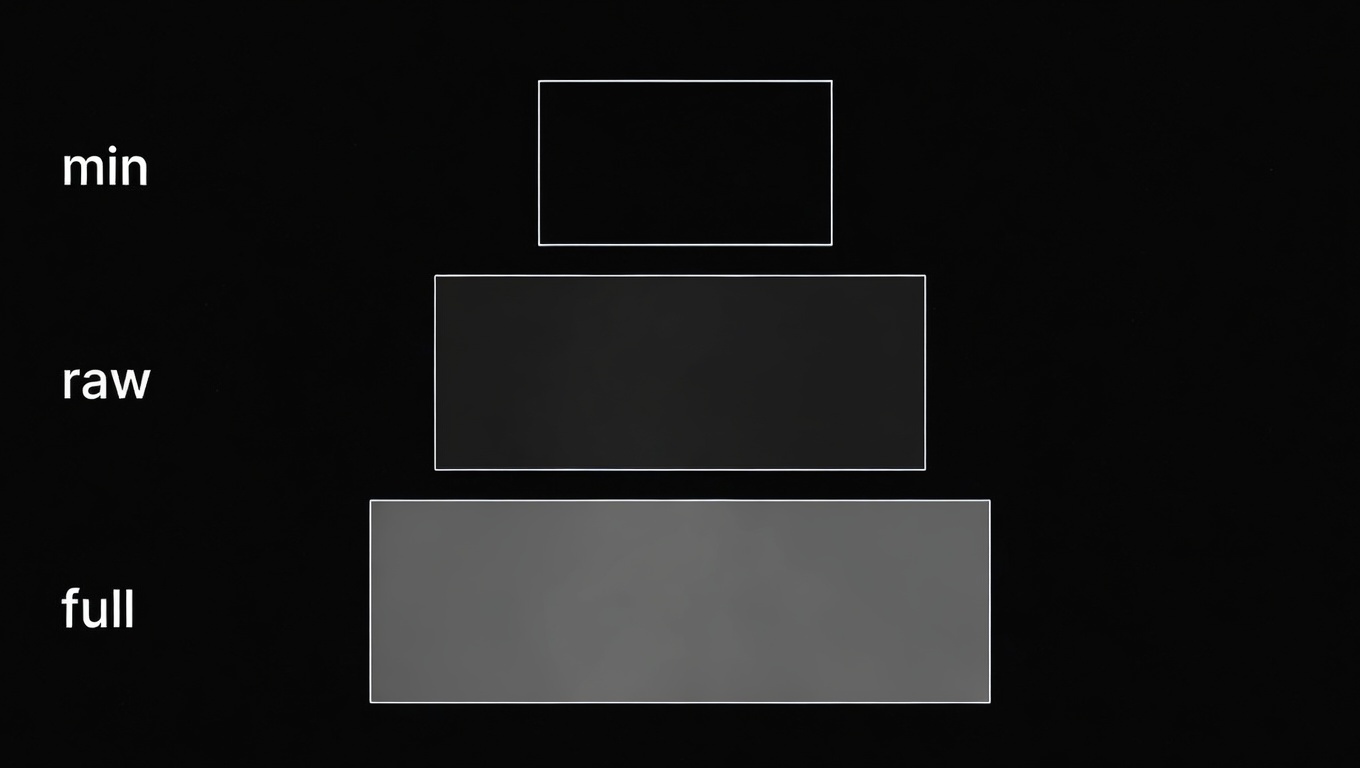
You can automatically embed various image display schemes in MarkDoc simply by modifying the alt attribute!

You can now enter min or full to change the display mode.
like this:
How does it work? #
The parent container must have the overflow-visible class.
Add Nodes Processor MarkdocImage.astro
import { defineMarkdocConfig, nodes, component } from "@astrojs/markdoc/config";

export default defineMarkdocConfig({  nodes: {    image: {      ...nodes.image,      render: component("./src/components/markdoc/MarkdocImage.astro"),    },...
Add Astro components src\components\markdoc\MarkdocImage.astro
---import type { ImageMetadata } from "astro";import AstroImage from "./AstroImage.astro";
interface Props {  src: ImageMetadata | string;  alt: string;  transitionName?: string;}
const { src, alt, transitionName } = Astro.props;
const modes = ["full", "min"];const parts = (alt || "").split("|").map((s) => s.trim());let mode = "";let description = "";
if (alt && parts.length > 1 && modes.includes(parts[0].toLowerCase())) {  mode = parts[0].toLowerCase();  description = parts.slice(1).join("|");} else if (alt && modes.includes(alt.trim().toLowerCase())) {  mode = alt.trim().toLowerCase();  description = "";} else {  mode = "default";  description = alt || "";}
let widthClass = "w-full";if (mode === "full") {  widthClass = "w-screen max-w-none relative left-1/2 -translate-x-1/2";} else if (mode === "min") {  widthClass = "w-full sm:max-w-[50%] mx-auto";}---
<figure class={`my-8 ${mode === "full" ? "" : "overflow-visible"}`}>  <AstroImage    src={src}    alt={description || "image"}    className={`${widthClass} block h-auto rounded-[var(--custom-radius)] select-none`}    transitionName={transitionName}  />  {    description && (      <figcaption class="mt-2 text-sm text-center opacity-75 not-prose font-bold">        {description}      </figcaption>    )  }</figure>
<AstroImage /> is a component that automatically optimizes images. watch
Example #